Fewer status emails,
more time to design.
ArchiFlow walks your client through the project: stages, files on your own Google Drive or Dropbox, discussion and documents signed with the Polish trusted profile. One link from the office; the client can add a password or Google login if they want.
Free plan, no card. Setting up an office takes two minutes.
Everything the office does with a client, in one place
From the first concept to the application at the authority. Nine things ArchiFlow takes off the team's plate.
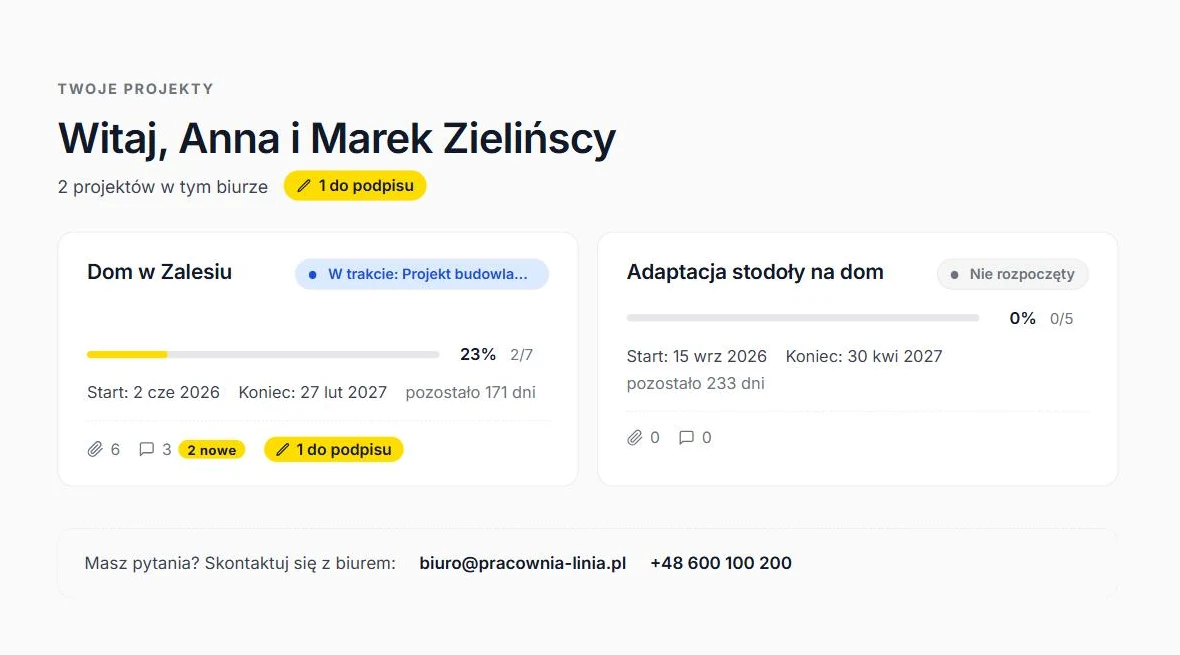
Client portal
One link to all of the client's projects. They see what is new, what they need to do and what happened since their last visit. They enter with the link and set up an account only if they want to.
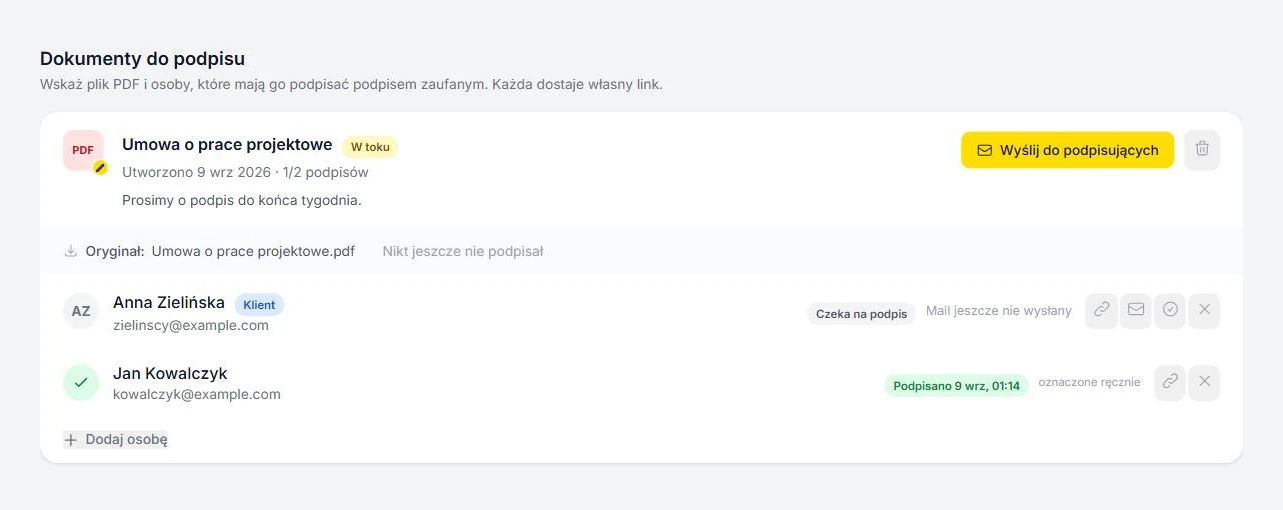
Trusted-profile e-signatures
Contracts and statements signed by the client, site manager or engineer without printing. The signed PDF lands back in the project folder.
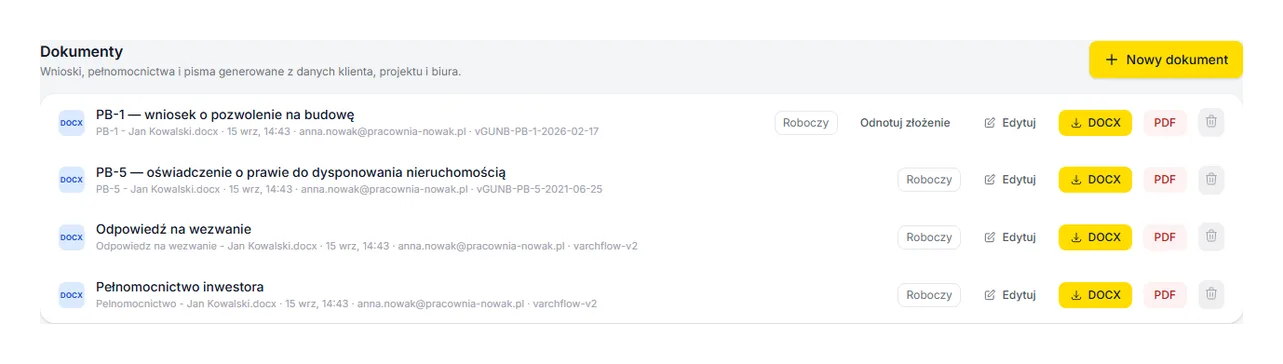
Documents for the authorities from project data
Power of attorney, PB-1, PB-5, reply to a summons, driveway permit application. Office, investor and plot data flow in on their own, you check what is missing and download DOCX or PDF.
Stages and timeline
Stages with a percentage share, status and subtasks. Changes save themselves and the timeline shows the client where you are.
Files on your Drive or Dropbox
Connect the project folder, upload from the panel, assign files to stages. Files stay with you, the client downloads them from the portal.
Discussion with notifications
One thread per project. The client gets an email about a new message and a completed stage, the office about a new signature.
Eight ready-made stage sets
Single-family house, adaptation, multi-family, commercial, interiors, extension, legalisation, change of use. Copy and adjust.
Team and roles
Architects run projects, the office admin manages templates, users and settings. Sign in with a password or a Google account.
Your office, your colours
Logo, accent colour and contact details of the office in the client portal. Interface in Polish and English.
Signatures without printing
and scanning.
You pick a PDF and the people who should sign it. Each gets a personal link and signs with the Polish trusted profile on gov.pl, the same way they sign letters to public offices.
- 1 Downloads the documentThe current version of the file, with the previous signatures in it.
- 2 Signs on gov.plTrusted profile, mObywatel or a bank login. Nothing to install.
- 3 Uploads the signed PDFThe file lands in a Podpisane subfolder of your project folder.
- Several signatures in one file, one after another
- Email reminder with one click
- The panel shows who has signed and who has not
- The client signs straight from their portal
- Unlimited documents in every plan

Three steps and you are running
No onboarding project. No IT department.
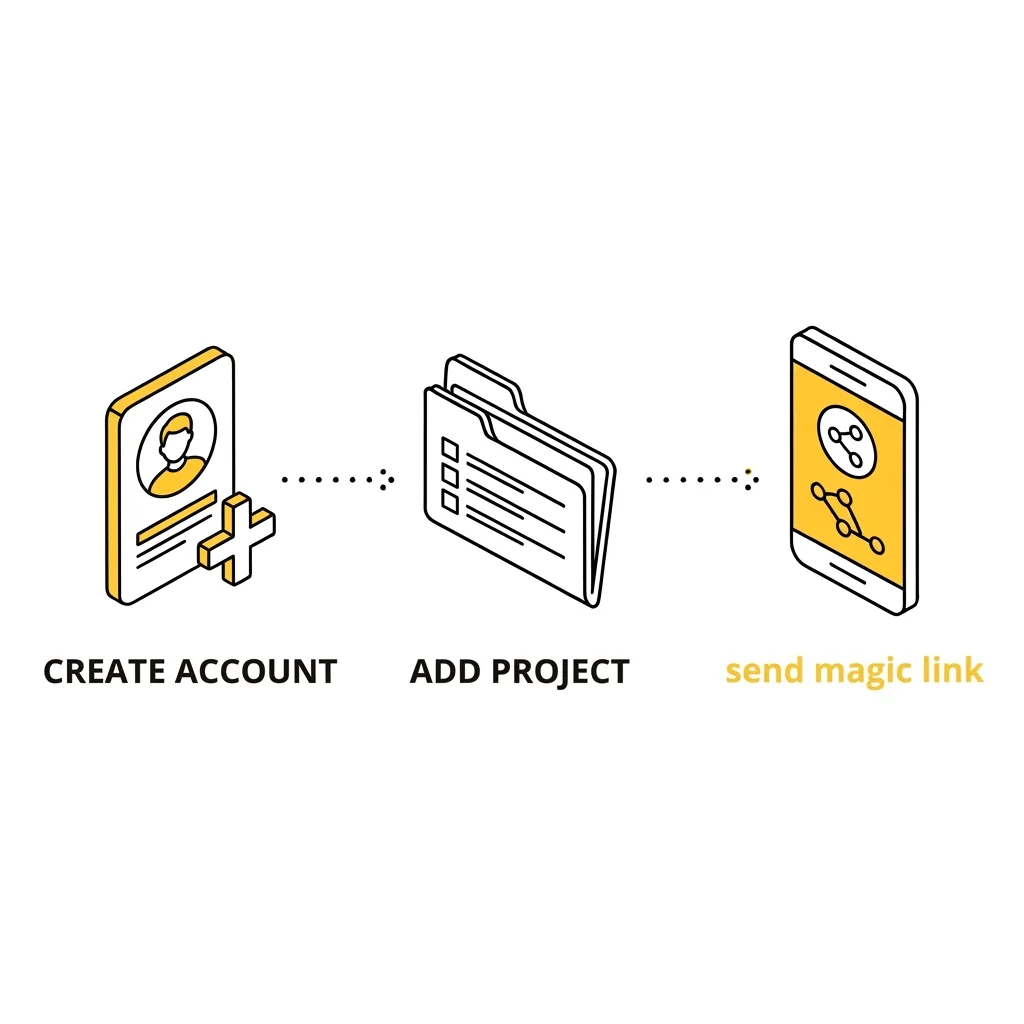
Create the office and invite the team
Registration takes two minutes. ArchiFlow reads your office website and suggests stage sets, a logo and contact details.
Add a project and connect a folder
Pick a stage set, point to a folder on Google Drive or Dropbox. Stages, files and documents to sign live in one panel.
Send the client a link
The client sees progress, files and the discussion, signs documents and gets an email when something changes.
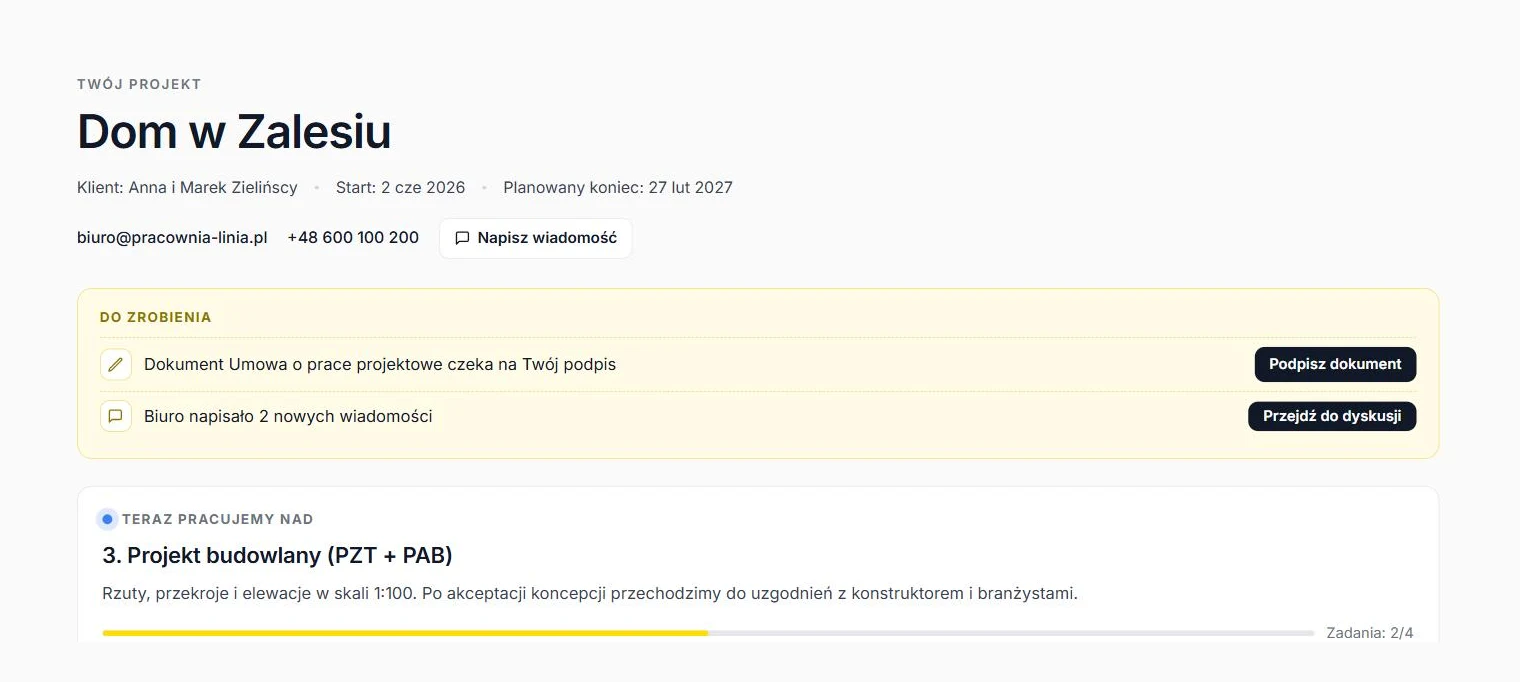
Your client doesn't need
another login.
One link to all of the client's projects. On arrival they see what is new since their last visit, what they need to do and what the office is working on.
- Project list with progress and documents awaiting signature
- To-do panel: documents to sign, new messages, new files
- Current stage with description and tasks, timeline, activity history
- Files from the office Drive or Dropbox, grouped by stage
- Works on a phone, in Polish and English, in the office colours
A week at the office with ArchiFlow
Three situations you know.
The client calls to ask what stage the project is at.
They open the portal and see: concept done, floor plans in progress, 2 of 4 tasks complete. The call never happens.
See this featureThe design contract is waiting for the client and the site manager.
Two links, two signatures on gov.pl, one PDF with both in the Podpisane folder. No printer, no scanner.
See this featureThe client asks for the ground floor plan that was in an email three weeks ago.
The file sits in the project folder on Drive, assigned to the Floor plans stage, tagged New in the client portal.
See this featureSimple, transparent pricing
Start for free. Trusted-profile e-signatures and Drive and Dropbox integrations are in every plan, unlimited.
For small offices taking the first steps.
- Up to 20 active projects
- Up to 2 users
- Client portal: link or login
- Unlimited trusted-profile e-signatures
- Documents for the authorities: 7 templates
- Files on Google Drive or Dropbox
- Extra ready-made project templates
- Custom stage templates
- Priority support
For growing offices running many projects at once.
- Up to 50 active projects
- Up to 5 users
- Client portal: link or login
- Unlimited trusted-profile e-signatures
- Documents for the authorities: 7 templates
- Files on Google Drive or Dropbox
- Extra ready-made project templates
- Custom stage templates
- Priority support
For larger teams and many projects.
- Unlimited projects
- Up to 15 users
- Client portal: link or login
- Unlimited trusted-profile e-signatures
- Documents for the authorities: 7 templates
- Files on Google Drive or Dropbox
- Extra ready-made project templates
- Custom stage templates
- Priority support
Questions and answers
Does my client need to create an account?
How does the trusted-profile e-signature work?
Is such a signature legally valid?
Which documents for the authorities does ArchiFlow generate?
Where are the files stored?
How many projects can I run for free?
Can I create my own stage sets?
Is my data safe?
Can I try a paid plan before buying?
Your first project
in ten minutes.
Create the office, add a project and send the client a link. No card needed.