How to sign a contract with your architect using the Polish trusted profile, no printer needed
A design services contract does not have to travel by post or wait for a visit to the office. The trusted profile you already use for taxes handles it in fifteen minutes. Step by step, with the traps to avoid.

The design contract arrives by email. Twelve pages of PDF. The old routine: print it, sign every page, scan it with your phone under a lamp, send it back. The architect does the same. A week later you have two files, each with one signature, and nobody is sure which one counts.
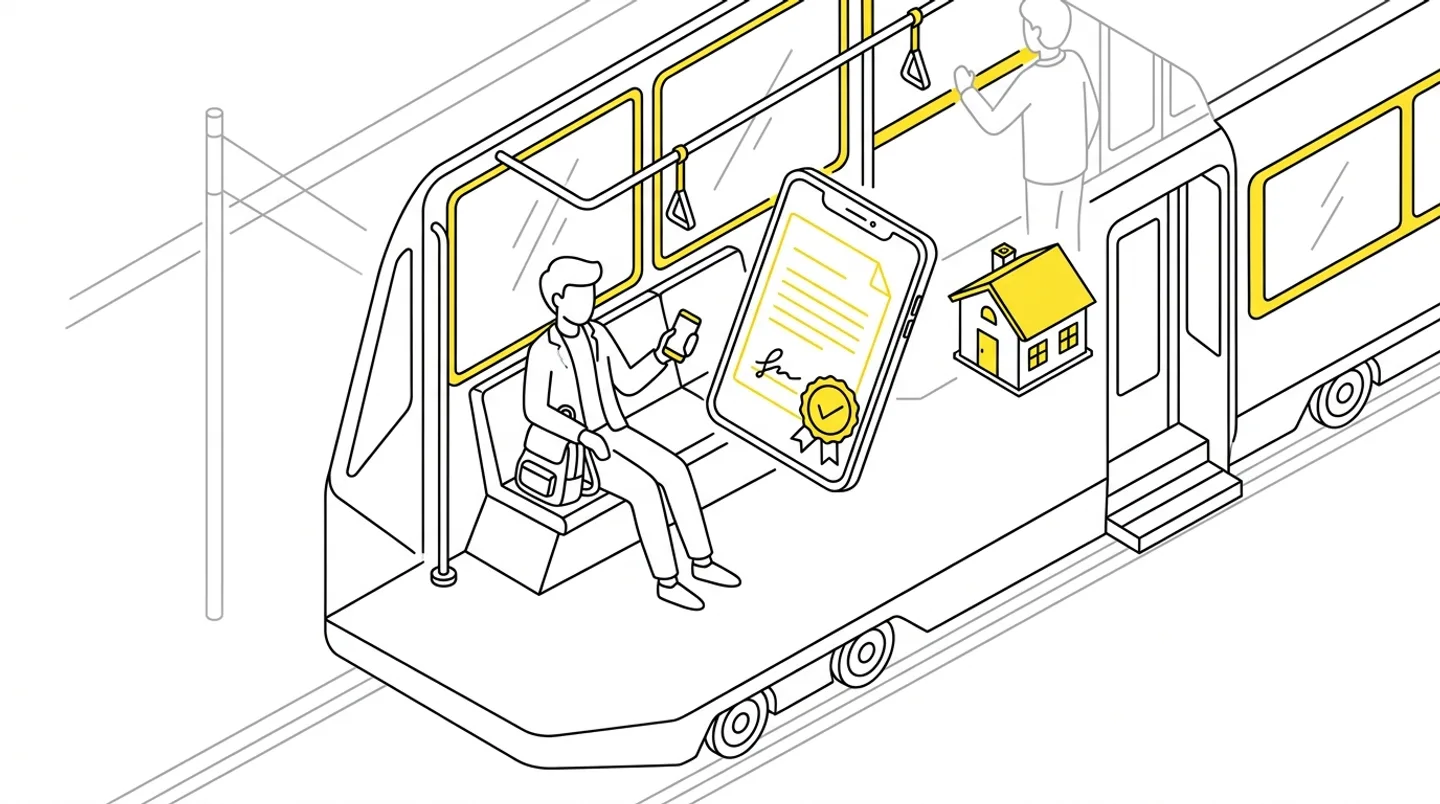
For a few years now there has been another way. If you have a Polish trusted profile (profil zaufany), the same login you use for the ZUS portal or your annual tax return, you can sign a PDF in the browser. No printing, no scanner, no leaving the house.
In short
- You sign on gov.pl with your trusted profile: through your bank, the mObywatel app, or a login with an SMS code.
- It is enough for a design services contract; a notarial form is needed for things like selling a plot.
- Three steps: download the PDF, sign on gov.pl, send the signed file back to the office.
- The first time takes fifteen minutes, every time after that five.
What the trusted signature is
The trusted profile is a verified identity in Poland’s public administration systems. The trusted signature is an electronic signature made with that profile on gov.pl. In dealings with public offices it has the force of a handwritten signature, which is why people sign building permit applications with it.
It works for a contract between you and an architecture office too. A design services contract does not require any special form, so it is enough that both parties sign it and each signature can be tied to a person. The trusted signature meets both conditions. A notarial form is required for other acts, such as selling a plot, and there the trusted profile does not replace a notary.
If the contract is large or unusual, ask a lawyer. For a standard contract to design a house, the trusted signature is a normal route today.
Step 1: download the document you are signing
You always sign a specific file. If the architect uses a client portal, you get a link by email or see a “Sign document” button next to the file in your portal. Download the PDF to your computer or phone.
One thing to watch. If several people sign the contract, say you and your spouse, or you and the architect, the signatures should end up in a single file. So you sign the version the previous person signed, not the original from before their signature. Good tools hand you the current version automatically. If you receive the file by email, make sure which one it is.
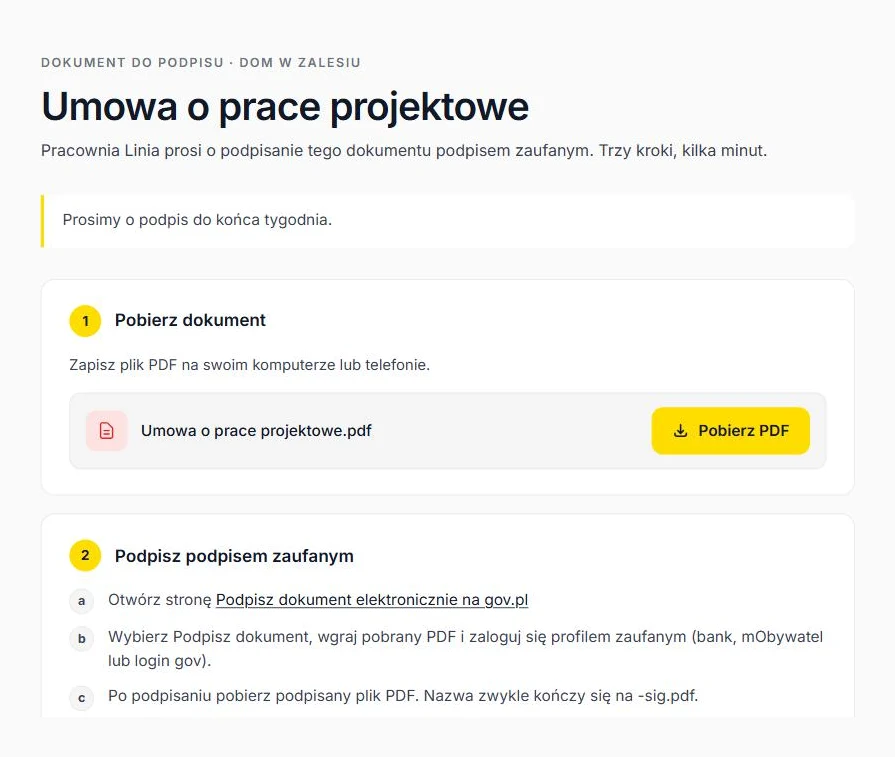
Step 2: sign on gov.pl
Open the “Podpisz dokument elektronicznie” page on gov.pl. Choose the trusted signature, select the downloaded PDF and log in with your trusted profile. You can log in:
- through your bank,
- with the mObywatel app,
- with a login and password plus an SMS code.
After logging in, the system asks whether you want to sign the document. You confirm, wait a few seconds and download the signed file. It has the same name with a suffix, usually ending in “-sig.pdf”. Open it in a PDF reader: the signatures panel shows your name and the date.
For a PDF you get a PDF back. For other formats, such as Word, the service returns an XML file with the signature, which is awkward for the other side. Ask your architect for the contract as a PDF.
Step 3: send the signed file back
Here the official part ends and the organisational part begins. The signed file has to reach the office in a way that nobody confuses it with the unsigned version.
It is easiest when the office has a place for it. In the ArchiFlow client portal you drop the file onto the page after signing, the system checks that it contains a signature and files it in the project folder under “Podpisane”. The architect gets an email that you signed, and your name appears next to the document with the date and time. The next person to sign gets the version with your signature already in it.
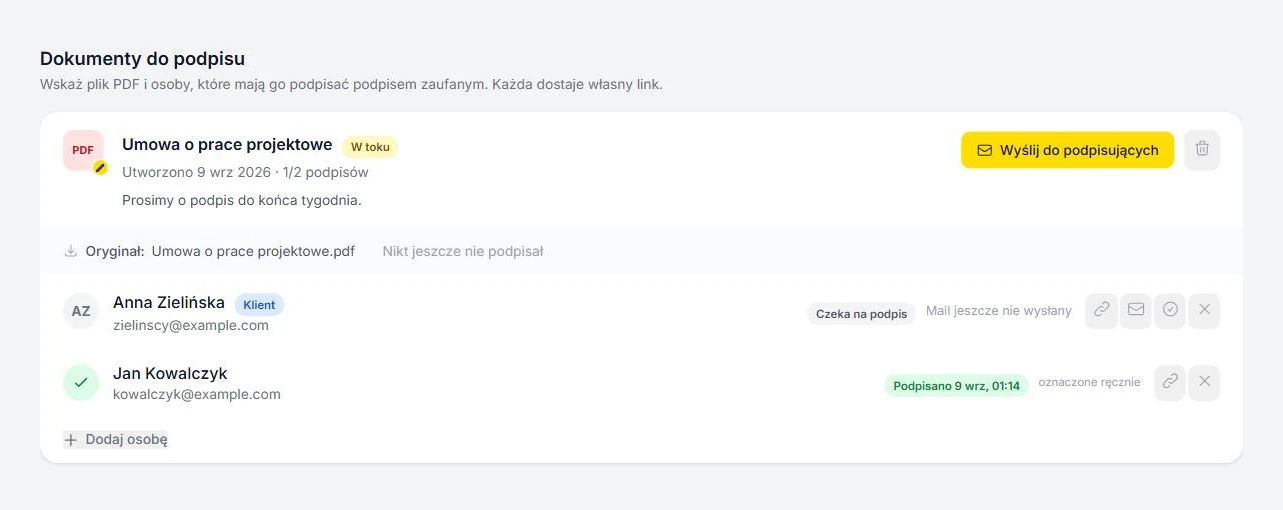
If the office works by email, reply to the message with the contract and put “signed” in the subject line. Keep a copy for yourself.
What to watch out for
- Check the names in the signatures panel before sending. It happens that someone signs from a spouse’s account because that is who was logged in.
- Do not edit the file after signing. Changing a single character invalidates the signature and the PDF reader will show a warning. If the architect asks for a change in the contract, you get a new file and sign again.
- Do not sign scans. If someone printed the contract, signed by hand and scanned it, your trusted signature on that scan is valid, but the whole thing looks messy and is harder to verify. Better that both parties sign the same file electronically.
How long it takes
Downloading the file, logging in to gov.pl, signing, sending it back: fifteen minutes if it is your first time and you read every screen. Five minutes the second time. For comparison, the paper loop in my office took six working days on average, from sending the contract to getting the scan back.
The contract is only the first document anyway. During a project there are amendments, the statement of the right to use the property, sometimes a neighbour’s consent. Each of them can be handled the same way, from a phone, between one thing and the next.
ArchiFlow gives investors real-time visibility into project progress — through one link from the office, with a login if they want one. Ask your architectural office if they use ArchiFlow.
Learn more →