What clients really want to know about their project, and how to give it to them without writing emails
The client does not ask “how is it going” out of nosiness. They ask because they cannot see. Five questions I get in every project, and a way for clients to find the answers themselves before they reach for the phone.

For the first years of my career I treated client phone calls as a cost of the job. Someone calls, I ask how I can help, I hear “I just wanted to ask how things are going”, I spend ten minutes saying the same thing as a week ago. Then I go back to the drawing and spend a quarter of an hour finding where I was.
At some point I started writing down what people asked. After a year I had a list. Almost every question came down to five.
In short
- Almost every client question is one of five: which stage, when is the end, where is the file, do you need anything from me, what happened since last time.
- The client can find each answer alone if they have one view of the project behind a link.
- After we introduced the portal, status calls dropped from several a week to one or two a month.
- Start by checking where in your office a client would find the answer to each of the five questions.
1. “What stage are we at?”
This is a question about a map. The client knows the project has a beginning and an end, but cannot see where the middle is. Explaining that “we are in the building design stage” does not help, because for them it is one large grey area between the concept and the permit.
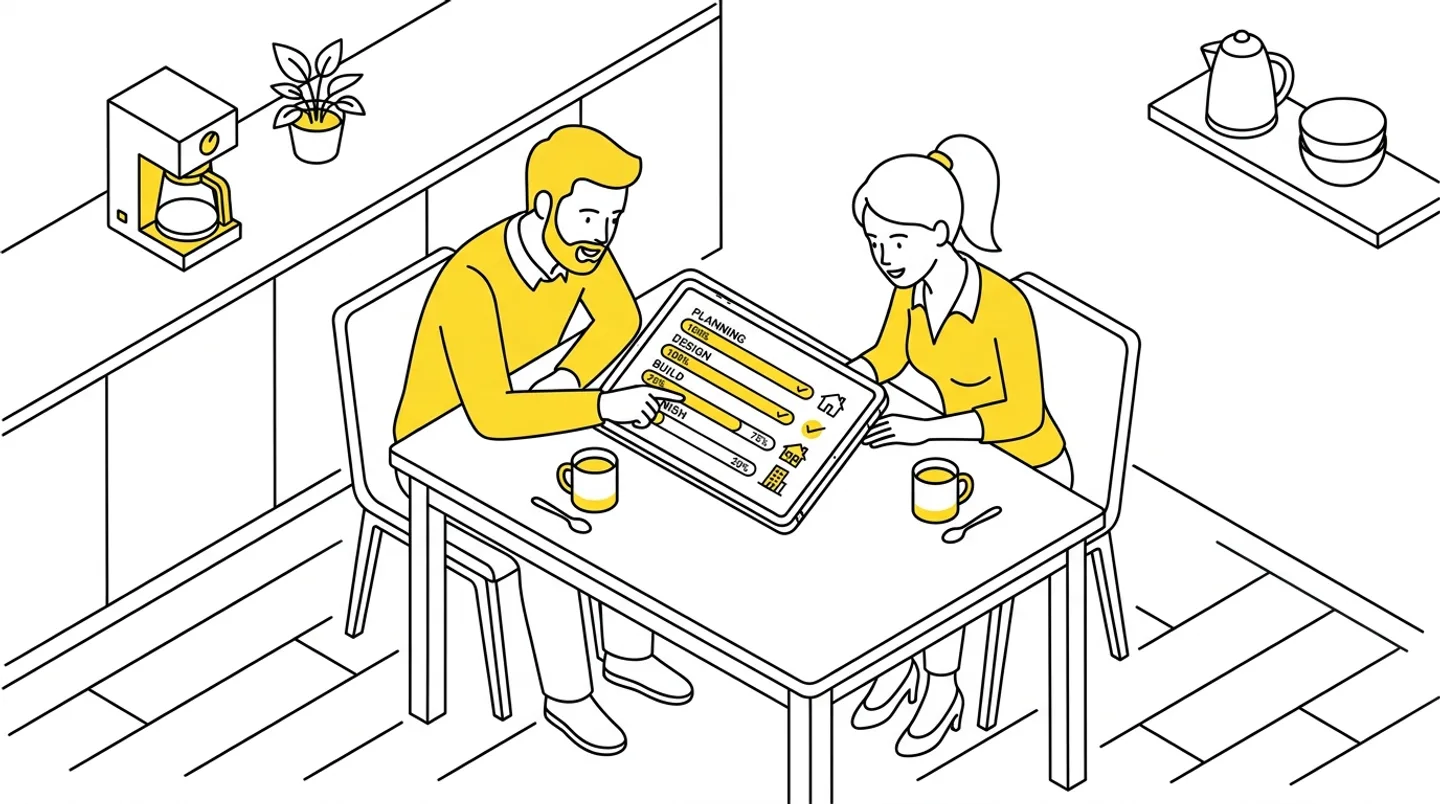
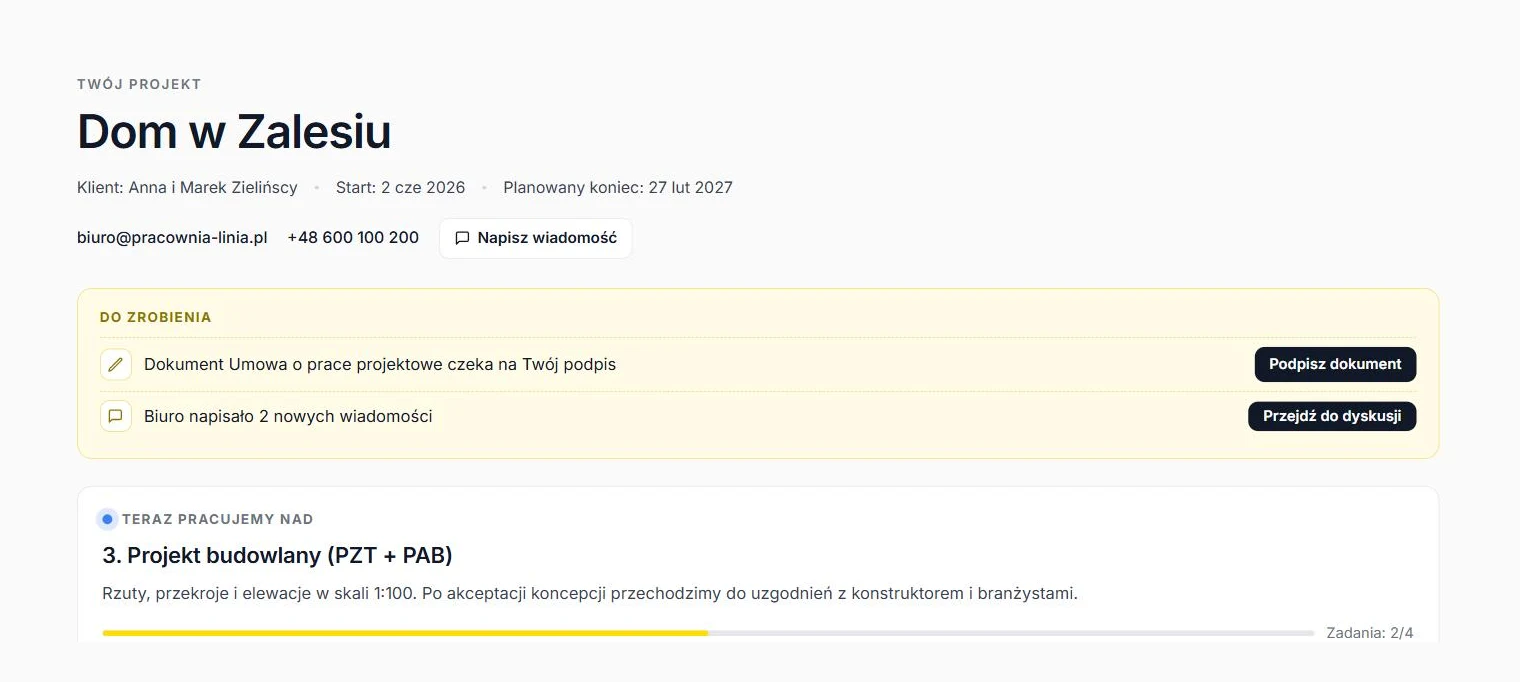
What works: a list of stages with plain-language names and a status next to each. Completed, in progress, waiting for the authority. Plus a bar showing what percentage of the project is behind us. When the client sees “3 of 7 stages complete, now building design, 25% overall”, they do not need to call.
In the client portal we use, this view is the first thing the client sees after opening the link. A “Currently working on” card shows the current stage with a description and a task list, for example “Floor plans: done, Elevations: in progress”. The client gets the answer to a question they have not asked yet.
2. “When will it be finished?”
The second question is about the calendar. “In a few months” does not reassure anyone. “Planned end 27 February, 172 days left” does, even when the date is far away.
I do not promise dates per stage, because the authority and the engineers work at their own pace. I give the project end date and honestly mark stages that are “with the authority” in a separate colour, with a note that the office does not control them. Clients understand this better than I expected. Not knowing frustrates them, waiting does not.
3. “Where is that file?”
A floor plan, a visualisation, the authority’s decision. The client got it by email, but an email from three weeks ago sits under thirty others. They ask for it again. I look for the file, send it, another copy is born.
What works: one place with the files, grouped by stage, with a marker for what is new since the last visit. The client opens it, sees a “New” tag on two files, downloads them. The files sit on our Google Drive, the portal only shows them, so I do not maintain a second archive.
4. “Do you need anything from me?”
Good clients ask this, and it frustrates them most when the answer is “yes, we have been waiting two weeks for your decision on the windows”. The information existed somewhere, in an email or a conversation, but not where the client would look for it.
What works: a separate “To do” panel at the top of the project view. It collects:
- a document to sign,
- an unread message,
- a new file to look at.
The panel disappears when nothing is pending. The client opens the portal and knows in three seconds whether they have something to do or can go to bed.
We added contracts and statements there recently. Instead of “please print, sign and send back a scan”, the client sees a “Sign document” button, signs with the Polish trusted profile on gov.pl and uploads the file. I get an email. A contract that used to circulate for a week is signed the same evening.
5. “What happened since last time?”
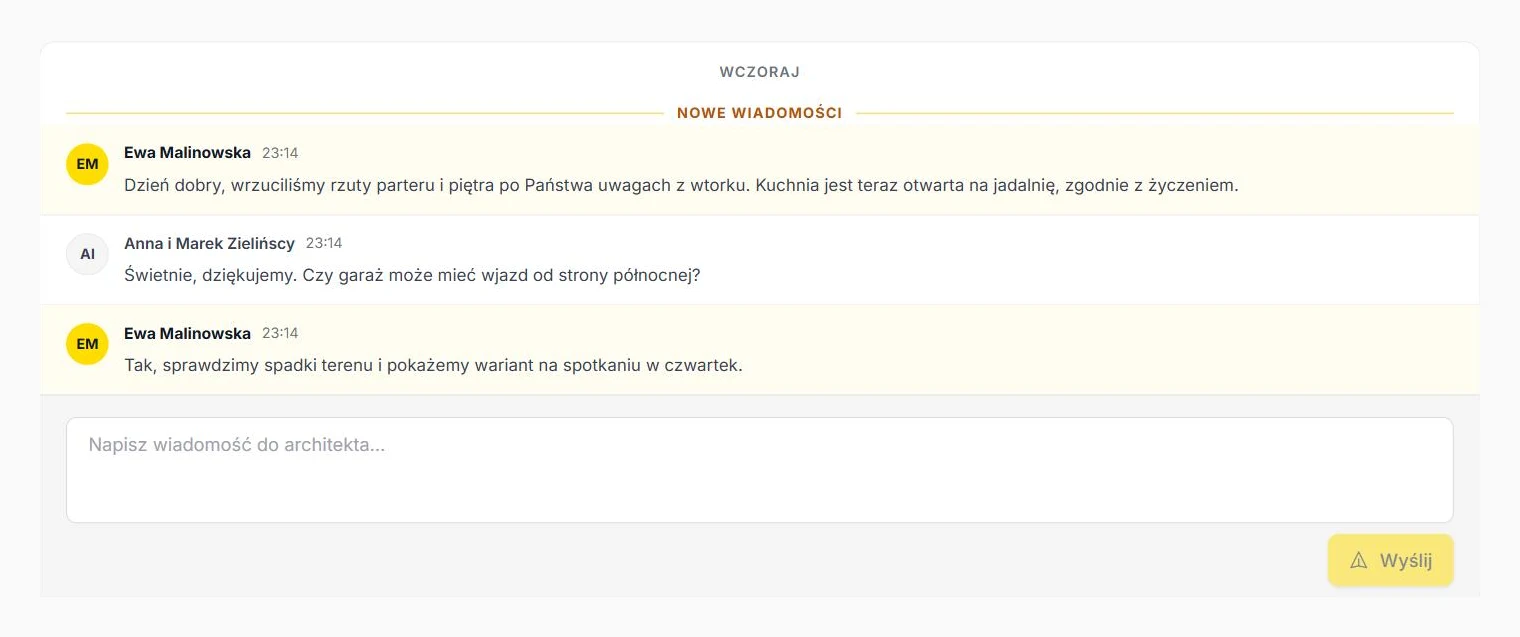
A client who checks in once every two weeks does not want to read everything from scratch. They want a change log. We completed a stage, added three files, wrote two messages, the site manager signed a statement.
What works: a short “What happened” timeline with dates and a “New messages” marker in the discussion above the first unread one. Plus small counters on the tabs: Files 2, Discussion 1. The client clicks where something is and does not search blindly.
What this changes for the office
The point is not for the client to stop calling. The point is for them to call with questions worth answering out loud: about materials, a layout change, the budget. The “where” and “when” questions should answer themselves.
After we introduced the portal, status calls dropped from several a week to one or two a month. The time saved is not huge, maybe two hours a week. But those are two hours without being interrupted in the middle of a drawing, and that counts double.
If you do not use any portal, start with the list of five questions. Check where in your office the client would find the answer to each without calling. Wherever they would not, there is a gap. The tool is only a way to close it.
ArchiFlow gives investors real-time visibility into project progress — through one link from the office, with a login if they want one. Ask your architectural office if they use ArchiFlow.
Learn more →